

Foundation Beams
Foundation Beams between foundations that provide rigidity to the assembly. The pressures exerted on the ground are calculated on these beams.

Create & Edit
There is a single button available for creating foundation beams:
-
Create: A dialog box will open to enter the dimensions of the beam and its vertical alignment with respect to the foundations to be joined.
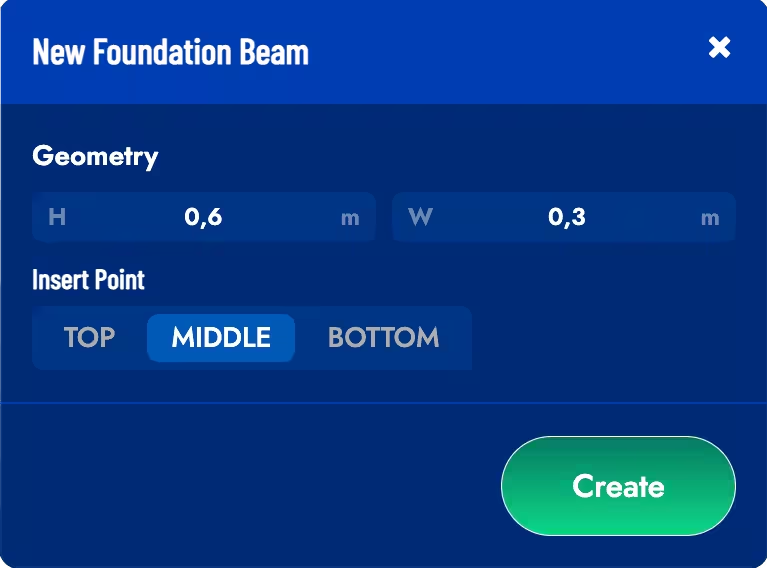 Select 2 Load Points between foundations to create a beam and press the *Confirm* button to confirm the creation. To move the beam-foundation connection point you must drag the corresponding arrows in the model.
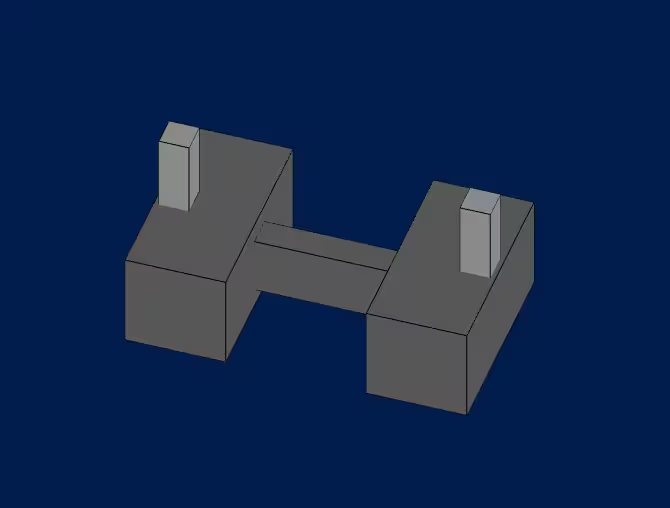
Example of newly created foundation beam
It is possible to edit/delete a created foundation beam by clicking on it in the model. If you want to modify the beam-foundation connection points you must drag the arrows on the connection point.