Geotechnical Analysis
Run Analysis
To start the analysis, press the Run button, choose the analysis to be performed, enter the parameters for the differential settlement analysis (if desired) and the size of the horizontal grid. The smaller the grid size, the longer the analysis will take. Select the load combinations to be analyzed and press Run.

Soil Pressures
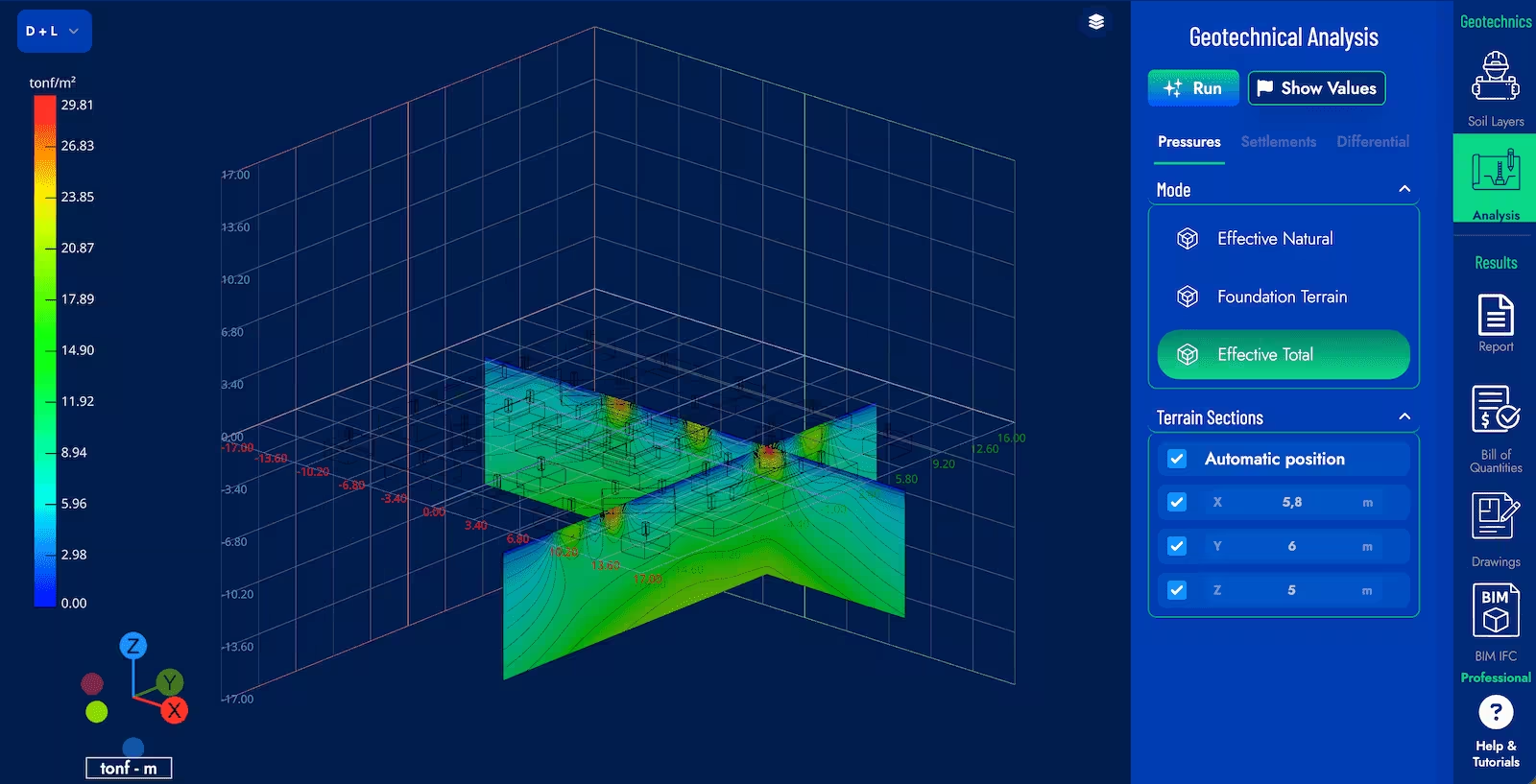
Once the analysis is complete, the Pressures tab allows you to view the direct pressures caused by the foundations, commonly called pressure bulbs, the effective pressure of the soil only or the total effective pressure.
Automatically, the vertical planes of pressure maps will be positioned at the maximum. If you want to position them at other coordinates, deselect the Automatic Position option and enter the desired coordinates.
Instant & Consolidation
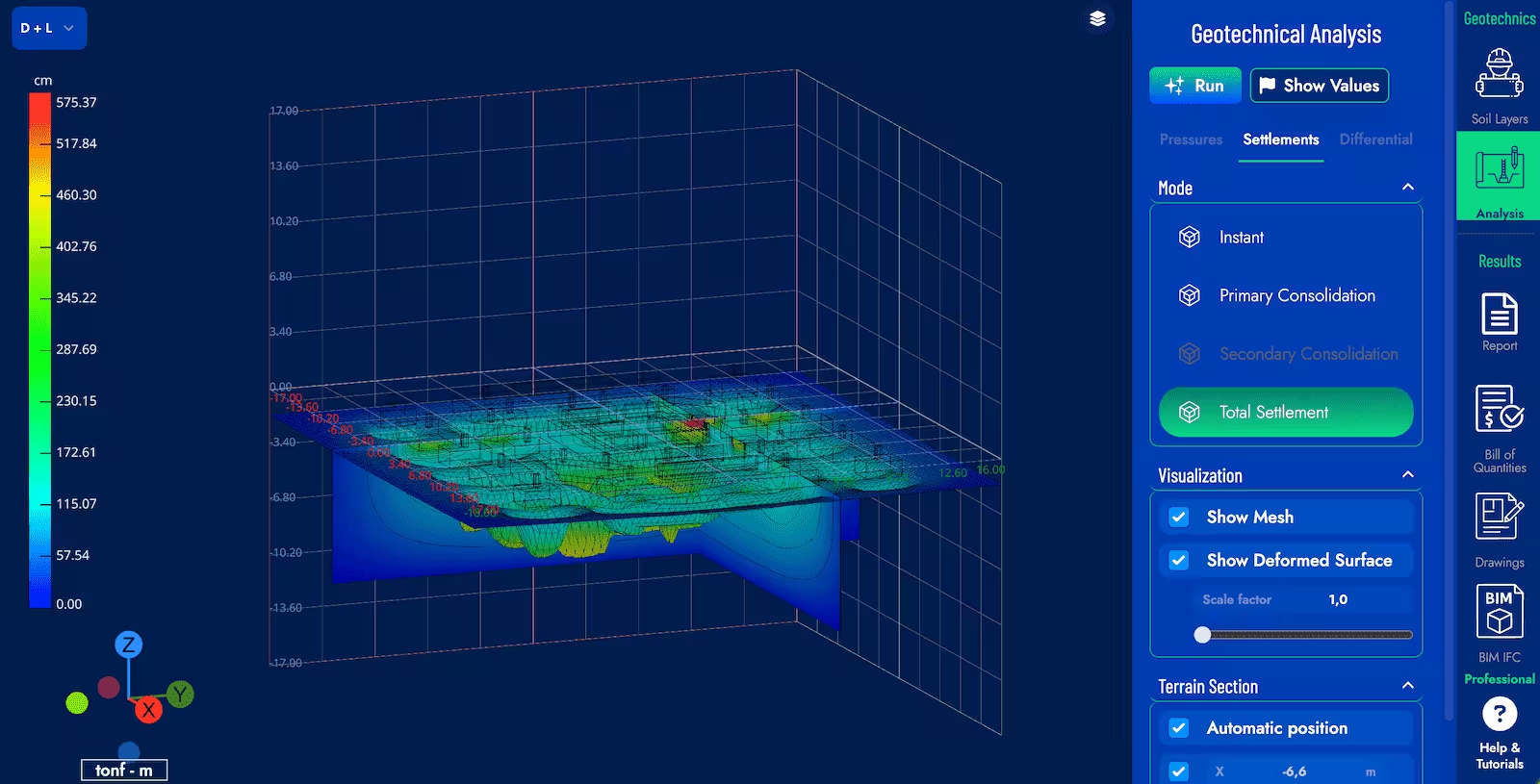
The Settlements tab allows you to select instant settlements, primary consolidation settlements, or total settlements.
At any time, you can display the surface soil deform or not and vary the display scale in the “Visualization” submenu.
The vertical planes of pressure maps will automatically be positioned at the maximum. If you want to position them at other coordinates, deselect the Automatic Position option and enter the desired coordinates.
Differential Settlements
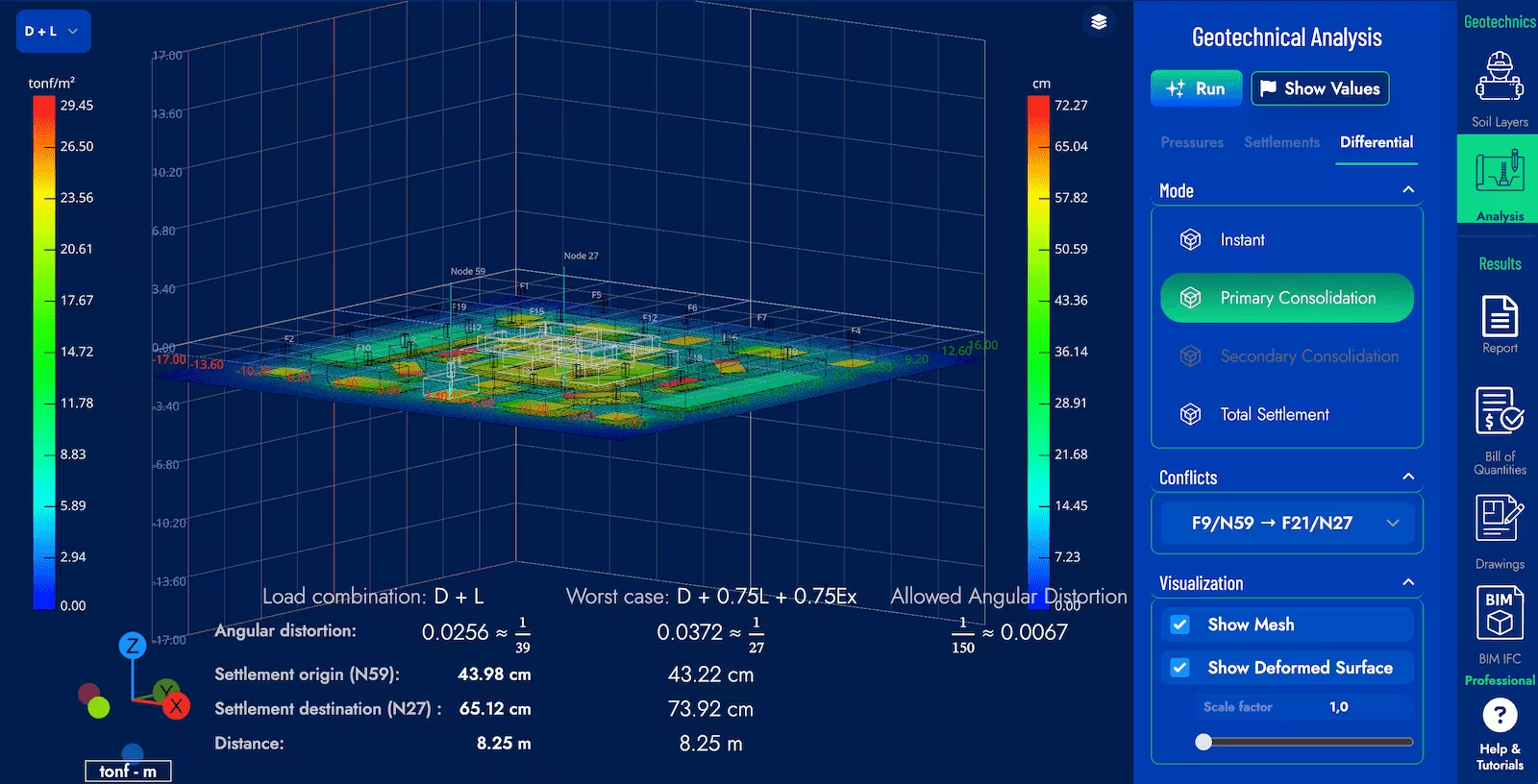
Press the “Analysis” and “Differentials” tab, you can select instant settlements, primary consolidation settlements, or total settlements. Depending on the option selected, a list of conflicts that occur based on the analysis parameters entered when running the calculation is generated. At any time you can display or not the deformed ground surface and vary the display scale in the “Visualization” submenu.
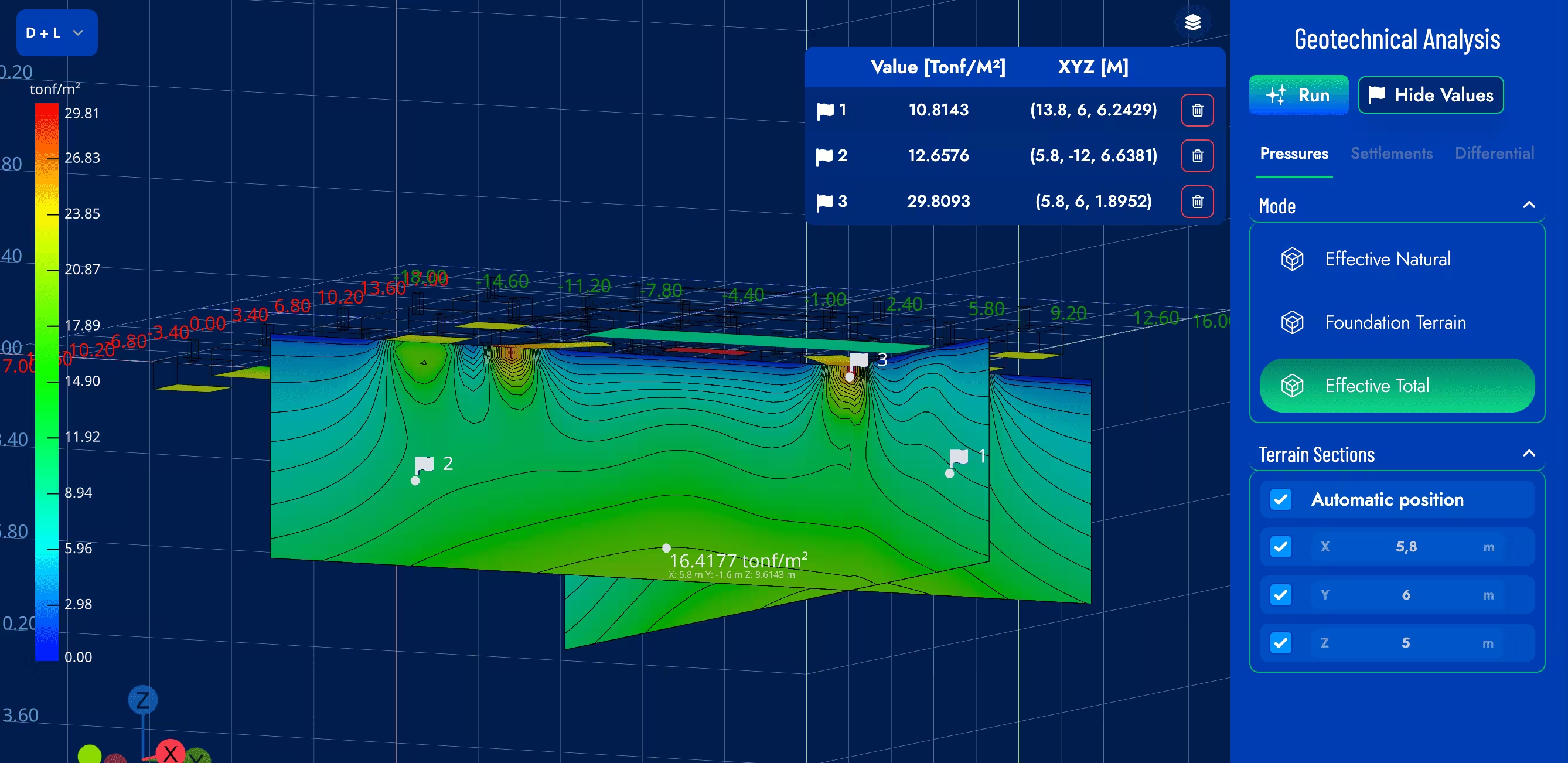
Values Inspection
When pressing the Show Values button, you can select specific points in the model to view detailed information about soil pressures and settlements at those locations. You can add points by pressing the Space Bar when hovering over the desired location in the model space.